
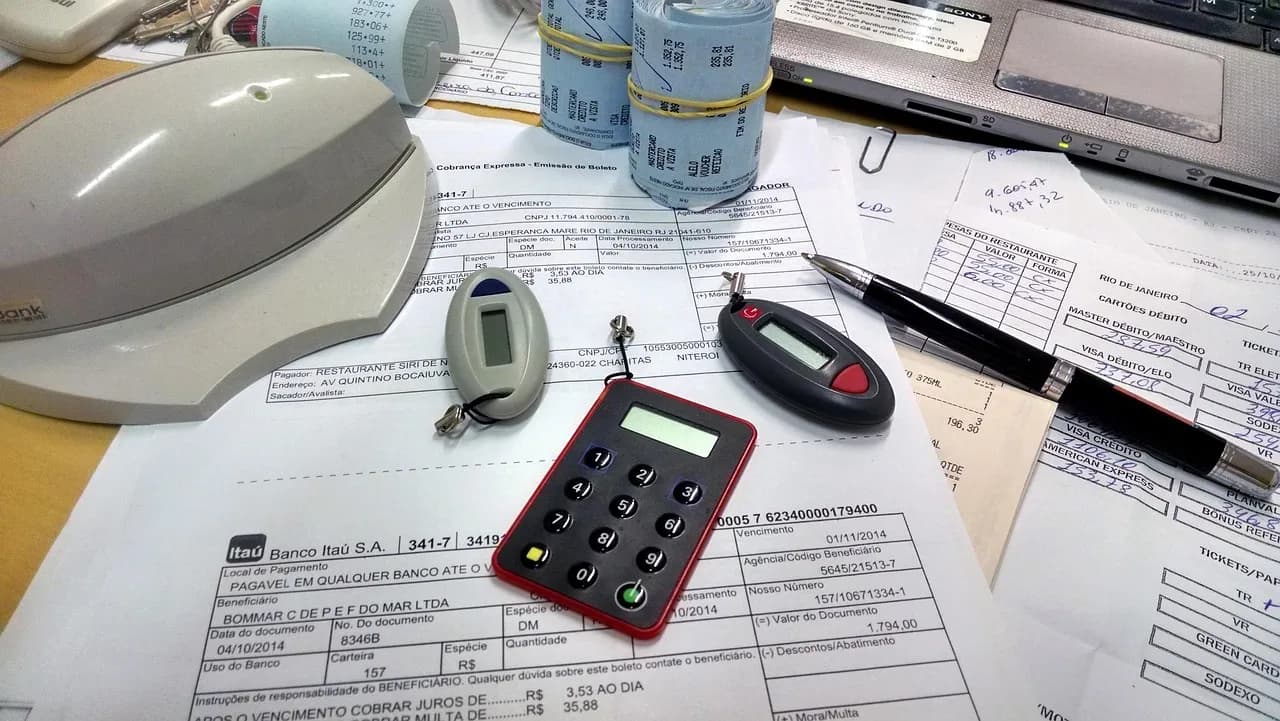
An invoice arrives from a supplier you have paid for years. The logo looks right. The email refers to a real project, includes a familiar name, and asks your office manager to use a new bank account for the next payment. Nothing looks particularly unusual. The invoice gets paid.
A few days later, the real supplier asks where the money went.
This is the problem with business email compromise, often shortened to BEC: a criminal uses a business email account, a convincing lookalike address, or a believable message to persuade someone to send money or information to the wrong place. The message may look like ordinary office work rather than an obvious scam.
For small and midsize businesses around Tampa Bay, the risk is not limited to companies with large accounting departments. If one person receives invoices, approves changes, and sends payments, a single message can bypass several checks at once.
You do not need an elaborate system to reduce this risk. You do need a clear process that staff follow even when a request seems routine.
Why fake invoice emails are a business problem
Email is where a great deal of business gets done. You receive bills, approve purchases, exchange documents, and arrange payments. Criminals take advantage of that normal activity. Instead of attacking a computer directly, they try to influence the person making a decision.
The FBI's 2025 Internet Crime Report recorded 24,768 business email compromise complaints with approximately $3.05 billion in reported losses nationwide. These are complaints and losses reported to the FBI, not a count of every incident or a forecast of what will happen to your business. The figures make one point clear: payment-related email fraud deserves the same attention as other business risks. Source: FBI Internet Crime Complaint Center, 2025 Internet Crime Report.
The direct loss is not always the only cost. When an invoice is paid to a fraudulent account, your business may still owe the real supplier. Staff may need to stop other payments, review messages, contact the bank, and rebuild confidence in the payment process.
Common warning signs include:
- Changed bank details on an otherwise familiar invoice.
- Unexpected urgency, such as a demand to send money before the end of the day.
- Requests for secrecy or instructions not to follow the usual approval process.
- A slightly different email address that resembles the real supplier's address.
- A new attachment or payment link sent outside the normal billing process.
Not every change is fraudulent. Suppliers change banks, people go on vacation, and deadlines are real. The point is to verify unusual requests rather than guess.
How business email compromise happens
A scammer may start with a convincing message that pretends to come from a vendor, a company leader, or another trusted contact. In some cases, a criminal gains access to a genuine mailbox. In others, they create an address that looks similar enough to pass a quick glance.
The scam may unfold over several messages. A criminal could observe an email discussion about an upcoming invoice and then insert new payment instructions at the moment they are most likely to be accepted.
Three common scenarios are worth recognizing:
- Vendor impersonation: A message appears to come from a supplier and says its bank account has changed.
- Executive impersonation: A message appears to come from an owner or manager and asks for an urgent transfer or confidential purchase.
- Compromised conversation: A message appears within a real business discussion, making a false request harder to notice.
The common feature is the same: the sender wants you to trust the message enough to skip an independent check.
This is why simply looking for spelling mistakes is not a reliable prevention strategy. A fraudulent message may be well written, use the correct company name, and refer to actual work.
The one rule that prevents many payment mistakes
Never change payment instructions based on an email alone.
If a supplier requests new bank details, confirm the change through a separate channel that you already trust. Call the phone number in your existing vendor records or contract. Do not rely on the phone number in the email asking for the change; a criminal can supply that number too.
The FBI recommends independently verifying requests that involve payment-account changes. Source: FBI Internet Crime Complaint Center.
A practical verification process looks like this:
- Pause the payment until the requested change is checked.
- Find an existing contact number from your own records, not the suspicious message.
- Call the supplier and ask an authorized person to confirm the new instructions.
- Record who verified the change, when it was verified, and what was confirmed.
- Require a second approval for changes to stored bank-account information where staffing allows.
This process should apply to everyone, including the owner. If a manager asks someone to make an exception because the payment is urgent, that exception becomes the weakness the attacker is looking for.
You can make verification easier by adding the rule to your invoice checklist and vendor onboarding paperwork. Staff should know exactly which number to call, where to document a change, and who has authority to approve it.
Separate receiving an invoice from approving a change
In a small office, one person may handle incoming mail, vendor relationships, bookkeeping, and payment processing. That can be efficient, but it also means a fraudulent request may reach the person who can act on it immediately.
You may not have enough employees to create a full accounting department. You can still divide a few important decisions.
Consider the following controls:
- Keep a master vendor record with approved contact information and payment details.
- Limit who can edit bank details in your accounting or payment system.
- Require a second person to approve payment-detail changes, when practical.
- Use a standard callback checklist for any change to where money is sent.
- Review new vendors and unusual payments before funds are released.
- Retain the verification record alongside the invoice or vendor file.
The distinction matters: receiving an invoice should not automatically authorize a change to the vendor's banking information.
If you use an outside bookkeeper, discuss the process with that person too. Decide who makes the callback, who has the final approval, and what happens if the owner cannot be reached. A process that only works when everyone is available will eventually be bypassed.
Protect the email accounts that handle money
Payment procedures are essential, but your email accounts also need protection. An attacker who enters a real mailbox can read conversations, impersonate employees, and make fraudulent requests appear familiar.
Start with the accounts used by owners, office managers, finance staff, and anyone who receives invoices.
- Turn on multifactor authentication (MFA). This requires another form of verification in addition to a password, such as approval through an authentication app.
- Use unique passwords. A password manager can help staff create and store different passwords for different accounts.
- Remove unused access. Former employees and unnecessary shared accounts should not retain access to business messages.
- Review mailbox forwarding rules. A forwarding rule automatically sends certain messages elsewhere; an unauthorized one may quietly expose invoice conversations.
- Keep devices and applications updated. Security updates correct known weaknesses that attackers may exploit.
- Use appropriate email filtering. Filtering can reduce suspicious messages, though it will not catch every convincing fraud attempt.
If you use Microsoft 365, ask your IT provider which protections are enabled, who receives security alerts, and how unusual sign-ins are investigated. The name of a product alone does not tell you whether the settings match your risk.
Email security and payment verification work together. Neither replaces the other.
Train staff around situations they actually encounter
A long cybersecurity presentation may not change what happens when a supplier calls about an overdue payment. Training is more useful when it rehearses the exact decisions employees make during a normal day.
Give staff a few realistic examples:
- A regular vendor sends a revised invoice with a different routing number.
- Someone claiming to be the owner asks for an immediate transfer while traveling.
- A known customer asks the office to open a shared document to view new billing details.
- A vendor says not to call because its accounts team is unavailable.
For each example, practice one response: stop, verify through a known channel, and document the result.
Employees also need to know that reporting a suspicious message is the right action, even if they already clicked something. Fear of being blamed can delay the response when minutes matter.
A short refresher during an office meeting can reinforce the process. Make it clear who staff contact when something feels wrong and who covers that role during vacations or absences.
What to do if a fraudulent payment was sent
If you discover that money may have gone to the wrong account, act promptly. There is no guarantee that funds can be recovered, but delay can reduce your options.
Take these steps:
- Call your bank's fraud department immediately and request a recall of the transfer. Ask what information and paperwork the bank needs to attempt recovery, including any required indemnification documents. Follow the bank's instructions.
- File a report at IC3.gov without delay. Include the full transaction details, such as the transfer amount, date, sending and receiving banks, account information, and any available transaction reference numbers. Report the fraud regardless of the amount lost.
- Notify the real supplier through a trusted contact. Confirm the legitimate account information and identify any other affected invoices.
- Preserve the evidence. Keep the original messages, invoice files, payment confirmations, and relevant dates.
- Contact your IT provider. Ask for a review of affected email accounts, sign-in activity, forwarding rules, and connected devices.
- Review other recent transactions. A single fraudulent payment may not be the only attempted change.
The FBI's Internet Crime Complaint Center has a Recovery Asset Team that works with financial institutions and law enforcement to try to freeze fraudulent transfers. In 2025, the FBI's Financial Fraud Kill Chain process helped freeze about $679 million across 3,900 incidents, representing 58% of approximately $1.164 billion in attempted theft handled through that process. The figures cover several types of financial fraud, not business email compromise alone. A freeze is not the same as recovering the money, and there is no guarantee that a particular transfer can be stopped or returned. Source: FBI, 2025 Internet Crime Report, page 17.
If an employee entered a password on a suspicious page or approved an unfamiliar sign-in request, tell your IT provider immediately. They may need to secure the account, revoke active sessions, and determine whether messages or files were accessed.
Avoid deleting messages while investigating. The records can help your bank, IT provider, insurer, or law enforcement understand what happened.
Build a payment-verification policy that people will follow
The best policy is one that fits the way your office actually works. It should be short enough to consult during a busy workday and specific enough to prevent improvisation.
Your written procedure should answer five questions:
- What triggers verification? Any new account, changed payment instructions, or unusual transfer request.
- Who performs the callback? Name a primary employee and a backup.
- Which contact information is trusted? Only details already on file or independently verified.
- Who approves the change? Identify the person authorized to update banking records.
- Where is the decision documented? Keep the record with the vendor or payment file.
Review this policy with whoever handles your books and payments. Test it with an example. If the process breaks down when one employee is absent, adjust it before a real request arrives.
You can begin today by checking whether your most frequently paid vendors have verified contact details on file. That is a manageable first step with a clear purpose.
How Inventive Tech Solutions helps
Inventive Tech Solutions works with small and midsize businesses in St. Petersburg, Clearwater, South Pasadena, and the surrounding Tampa Bay area. We help owners look at email security as part of the way their office actually handles business.
For a problem like invoice fraud, that means reviewing the systems and practices that can make fraudulent messages easier to trust or harder to detect. Depending on what you already use, the conversation may cover:
- Email account protection, including multifactor authentication and account access.
- Microsoft 365 settings, such as security alerts and unexpected mailbox forwarding.
- Employee awareness, focused on suspicious payment requests and timely reporting.
- Coordination with your payment process, so technology safeguards support your internal verification rules.
- Incident readiness, including whom to contact if an account or payment is compromised.
We will explain what we find in plain language. Not every office needs the same tools, and a new product is not a substitute for calling a supplier to verify a banking change.
Frequently asked questions
Can a fake invoice look exactly like one from a real vendor?
Yes. A criminal may copy a logo, formatting, names, or details from a genuine conversation. Check any new payment instructions independently, even when the invoice looks familiar.
Is multifactor authentication enough to stop business email compromise?
No. MFA provides important additional protection for account sign-ins, but it cannot prevent every impersonation message or stop someone from voluntarily sending money to a fraudulent account. Use it alongside payment verification.
Should we call a vendor every time we pay an invoice?
Not necessarily. The key is to verify new vendors, changed account details, and unusual requests. Follow a consistent approval process for ordinary invoices as well.
What if an email comes from our supplier's real address?
Treat unexpected payment changes cautiously anyway. A genuine mailbox can be compromised. Confirm the request using a previously trusted phone number or another independent method.
Can our bank reverse a fraudulent transfer?
Recovery depends on the circumstances and payment method. Contact the bank immediately, provide the transaction details, and follow its fraud-response instructions. Do not assume the money can be recovered.
What is the first improvement a small office should make?
Create a rule that no one changes a vendor's bank details from an email alone. Assign responsibility for callbacks and document each verification. Then review email account protections.
Schedule a free IT assessment
If you are unsure whether your email accounts and everyday payment procedures leave room for this kind of fraud, we can help you review the current setup, identify the real risks, and recommend safeguards that fit your business. There is no obligation.
Schedule a free IT assessment with Inventive Tech Solutions through our contact page or call (727) 400-3903.